Software

Configure REXGEN 2 IMU GNSS and analyse the files.
- Configures every REXGEN logger
- Opens MDF4, exports CSV and MAT
- Live and offline analysis
Free with REXGEN
View REXDESK

Log CAN and CAN FD in the vehicle, with motion and position.
Evidence-grade CAN FD logging, small enough to forget about. Two CAN FD channels, a LIN bus and four configurable inputs at 164 g, with a 6-axis IMU and GNSS position on the same timeline, so you capture what the vehicle did and where it did it.
Highlights
Every channel lands in the same file with the same clock, so an event can be reconstructed after the fact.

Two CAN / CAN FD channels up to 8 Mbit/s plus a LIN bus, recorded together.
Two CAN / CAN FD channels up to 8 Mbit/s plus a LIN bus, recorded together. CAN, CAN FD, LIN, J1939 and UDS/CCP decoding through DBC files, and non-standard CAN bit rates.

A 6-axis IMU and 72-channel GNSS on the same timeline as the bus data.
A 6-axis IMU, accelerometer ±2 to ±16 g and gyroscope ±125 to ±2000 dps at up to 1 kHz, plus 72-channel multi-constellation GNSS with 2.0 m CEP, all on the same timeline as the bus data.

Two analogue and two digital inputs at up to 1 kHz, with per-channel scaling.
Two bipolar ±10 V 12-bit analogue inputs and two digital inputs at up to 1 kHz, with per-channel scaling and offset, for the sensors the network does not carry.

Trigger on CAN, J1939, a digital input or motion, with pre-trigger capture.
Trigger on a CAN signal, CAN ID, J1939 DM1 counter, digital input or the IMU's motion channels. Pre-trigger capture keeps the run-up to the event in the file.
Logging, filtering, triggering and signal decoding are set up in REXDESK, free with every unit. CAN, CAN FD, LIN, J1939, UDS/CCP, DBC files, sensor channels and non-standard bit rates.

16 or 32 GB of soldered eMMC, 100% power safe, no card to lose.
16 or 32 GB of soldered eMMC, vibration resistant, FIFO when full. 100% power safe: no file corruption on disconnect or in sleep, and no SD card to lose.

Wakes on CAN or movement. Under 80 mA running, under 2 mA in deep sleep.
WakeOnCAN and wake on movement suit unattended fleet logging. Under 80 mA running, under 25 mA asleep and under 2 mA in deep sleep, from a 5 to 27 V supply.

Error frames on the same timeline, seed and key encryption.
CAN error logging records error frames on the same timeline as the data. Seed and key encryption, set up through the Encryption Manager, keeps log files unreadable without the key.

Open API, REXLIBRARY and exports to MDF4, CSV, MATLAB, ASC, BLF and TRC.
Open API, the open-source REXLIBRARY toolkit and free RXD conversion utilities. Recordings leave as ASAM MDF4, CSV, MATLAB, ASC, BLF or Peak TRC.
Use it as a pass-through USB device to connect CAN networks to compatible software tools. Supports J2534 workflows and third-party tools such as SavvyCAN.
Trusted by engineering teams

By installing the REXGEN we were able to log simultaneously the vibrations of the ship with the internal accelerometer and the CAN bus. By connecting the datalogger to our diagnostic computer and leveraging the open REXLIBRARY of Influx Technology, we were able to make a custom diagnostic tool that automatically finds the diagnostic fault messages on the CAN bus and correlates it with the accelerometer data. Furthermore the data is exported to a time related database and visualized for easy interpretation by our engineers and the customer.
Applications
CAN FD evidence logging across the test programme, from event triggers to endurance.
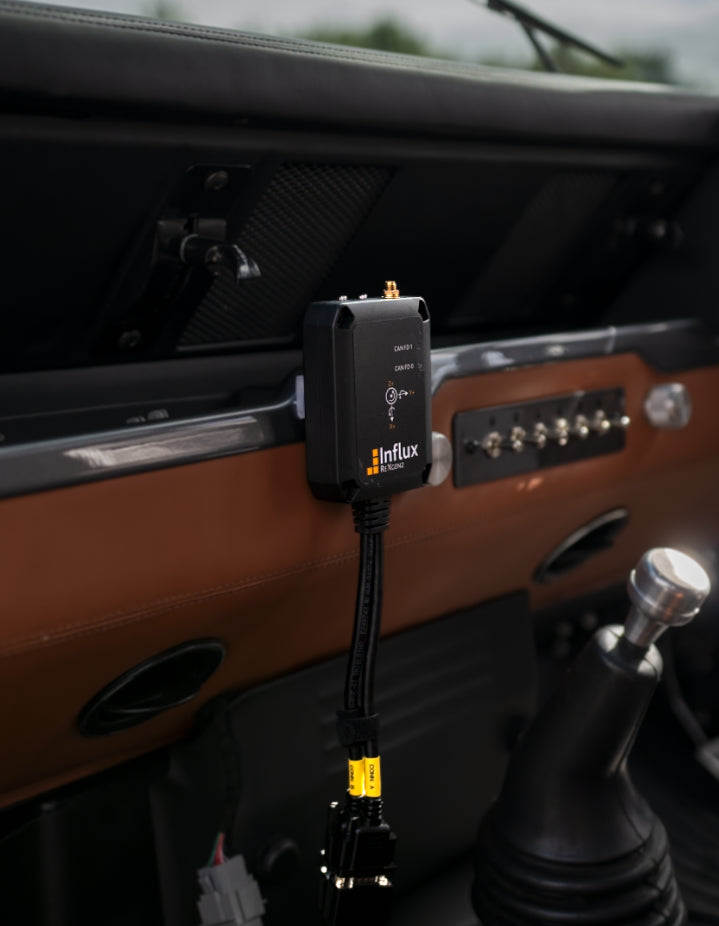
Motion, position and bus data share one timeline, so an impact can be reconstructed after the event. Files are power safe, so the record survives even if power is lost at the moment of impact.
Automotive data logging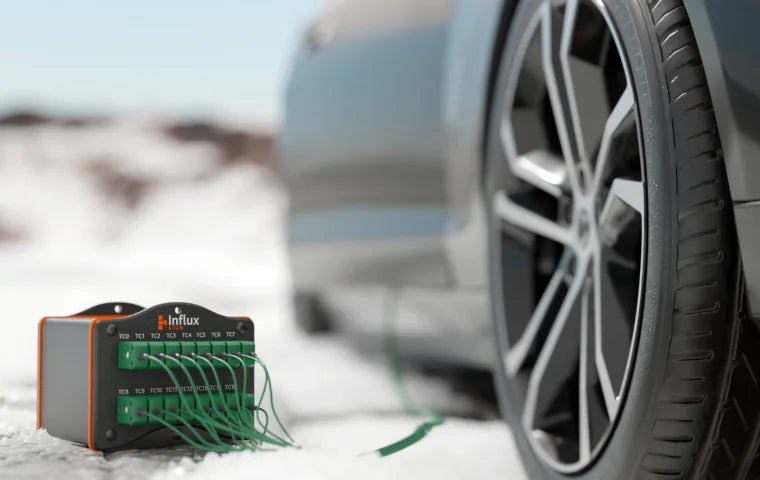

Configure once, deploy the same build across every vehicle. WakeOnCAN and wake on movement keep it running unattended, and GNSS puts every file on the map.
Commercial vehicle data logging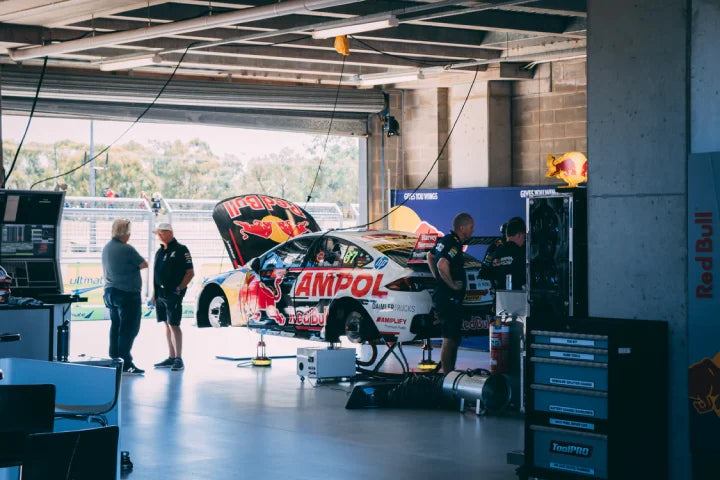
Temperature, voltage and PWM together with K-BOX, recorded over CAN beside the vehicle's own data.
View K-BOXSpecifications
The figures that matter, and every specification behind them.
Configured, downloaded and converted with REXDESK. Full connector pinouts are in the documentation below.
Documentation
Step by step guides on the Influx Technology docs, from first connection to pinouts and the full manual.
Getting started
Learn the basics of your device, connect the signals and create your first log.
Pinout details
Connector pinouts for REXGEN 2 and the IMU GNSS version.
Product manual
The complete REXGEN 2 and IMU GNSS manual and reference.
Spec sheet
The key specifications on one sheet, to file or forward.
Which REXGEN
Three REXGEN loggers, one REXDESK workflow.


The free software it ships with, and the modules that share its timebase over CAN.
Configure REXGEN 2 IMU GNSS and analyse the files.

Put thermocouples on the CAN bus.

Analogue inputs and switched outputs on the bus.
Nothing in this family matches those filters. Clear a filter, or ask an engineer.
Ready to order REXGEN 2 IMU GNSS? From £849 inc VAT, in stock
Prices in GBP, including VAT. Orders over 10 units are quoted individually.
Frequently asked questions
The questions engineers ask before they order.
An engineer replies within one business day.
Ask an engineerThe IMU GNSS version adds 6-axis inertial sensing and GNSS position, with 16 or 32 GB of storage. Everything else is shared with the standard REXGEN 2, so the same REXDESK configuration, triggers and export tools apply.
Yes. Both versions run two CAN / CAN FD channels up to 8 Mbit/s, plus a LIN channel.
Yes. Triggers can be set on CAN signals or on the IMU's motion channels, and motion, position and bus data share one timeline, so an impact can be reconstructed after the event. Files are power safe, so the record survives even if power is lost at the moment of impact.
No. It logs to soldered eMMC, so there is no card to lose or corrupt.
No. It is 100% power safe. Files are not corrupted on disconnect or in sleep.
Yes. Two analogue and two digital inputs at up to 1 kHz. For thermocouples, more analogue channels or switched outputs, add a K-Series module on the same CAN bus.
Yes. Fitted to a vehicle and left running, it records CAN FD, LIN, sensor, motion and position data to its own soldered eMMC, so it works as a black box data logger for unattended event and fleet logging. You pull the data when the vehicle returns.
Question not answered? Ask an engineer
Talk to us
Tell us about the vehicle, the networks and the signals you need. An engineer will scope the right setup with you.