Download logs from the logger
Copy recorded logs from the logger's SD card to the PC, as raw ReX data (.rxd) or converted to another format while downloading.
Before you start
- The logger is connected and the status bar shows
CONNECTED. - You know which partition holds the logs you want:
Master, or a backup partition if the configuration uses one.
Steps
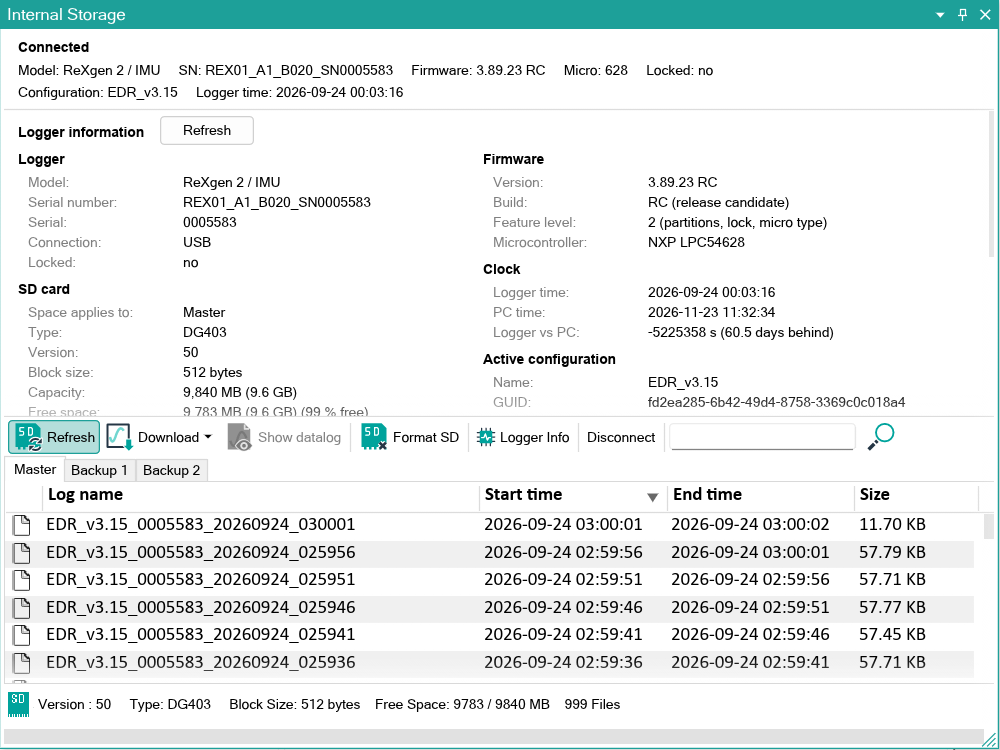
Opening Internal Storage, selecting a log and opening the Download menu
The white boxes in the animation cover the serial number.
Click
Internal Storageon the toolbar.The
Internal Storagewindow opens and starts reading the card. The bottom line shows the progress, for exampleReading the SD card… 191 / 999.Wait for the list to finish.
The list fills in, newest log first, with one tab per partition (
Master,Backup 1,Backup 2). The bottom line shows the card type, the free space and the number of files. Reading a full card of 999 logs takes under half a minute.Refreshreads the card again.Click the tab of the partition you want, then click a log.
The row is highlighted and
Show datalogbecomes available.Click
Download ▾and choose a format, for exampleReX data (rxd).A
Save log aswindow opens with the log's name already filled in.Choose a folder and click
Save.A message reads
Saved 1 file(s). ClickOK.
The Download menu
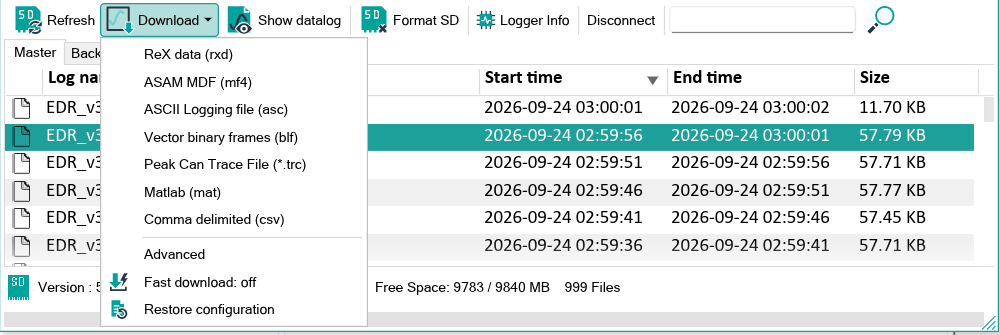
| Entry | Result |
|---|---|
ReX data (rxd) | The log as recorded. Keep this copy: every other format can be produced from it later |
ASAM MDF (mf4), ASCII Logging file (asc), Vector binary frames (blf), Peak Can Trace File (*.trc), Matlab (mat), Comma delimited (csv) | Downloads and converts in one step |
Advanced | Opens Download Options: the format (Save as), Merge into one file, Date and time column, Compress MDF4, and a signal database for each bus. Then Download |
Fast download: off | Switches Fast download on. Logging stops for the duration of the download |
Restore configuration | Puts the logger's configuration back if a Fast download was interrupted |
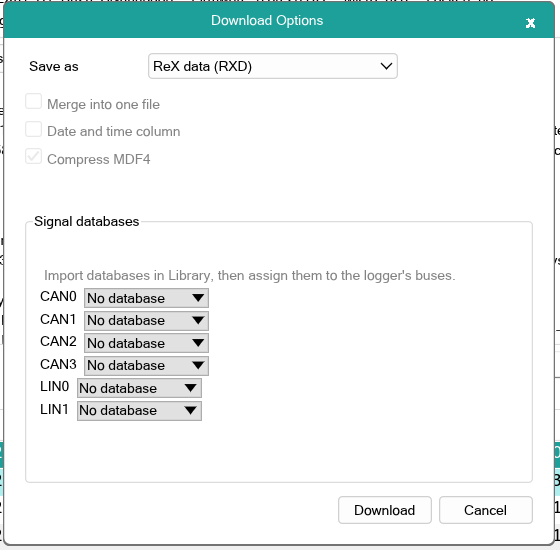
Keep the file name REXDESK proposes. It contains the start time of the log (…_20260924_025956), which REXDESK uses later to show absolute times when you open the file from the PC.
What you should see
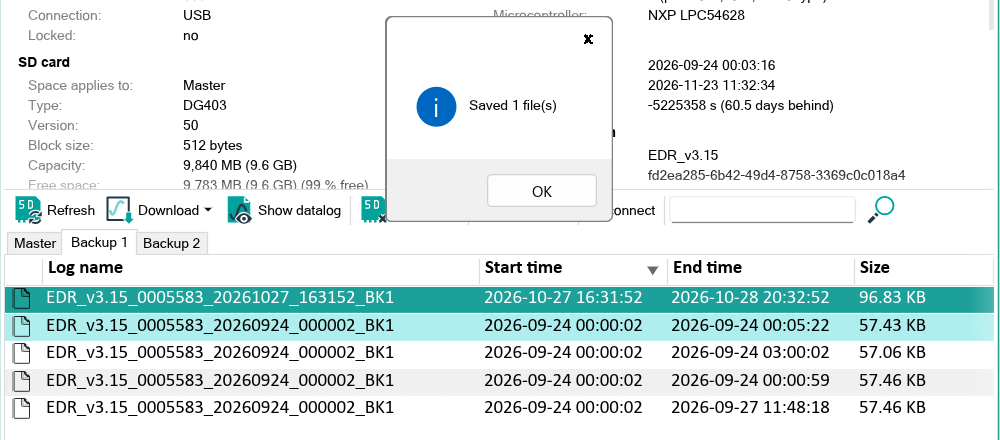
Logs from a backup partition carry a suffix: <configuration>_<serial>_<date>_<time>_BK1.rxd.
Troubleshooting
| Symptom | Cause | What to do |
|---|---|---|
Download failed: … the selected recording changed, moved or is no longer available in Master. This recording was not saved. Refresh the log list and select it again | The logger is still recording and the partition already holds its maximum number of logs. Each new log replaces the oldest one, so the list you are looking at no longer matches the card. REXDESK refuses to save a log it cannot identify with certainty | Stop the recording first (remove the trigger condition or the bus traffic), click Refresh and download again. Logs on a backup partition that is not being written download normally. From the command line, rexdesk-cli download --last <n> reads only the newest logs and is quick enough to succeed |
| The newest logs are not at the top of the list | The logger's clock is behind, so new logs carry earlier dates | Set the clock with Device ▸ Set Device Time; see Read the logger information |
Show datalog is greyed | No log is selected | Click a log |
Related
---
Written for REXDESK 1.0.0.791 (23 Nov 2026).