
Getting started
3Manuals
12- REXDESK: record CAN, CAN FD and LIN
- REXDESK: download and export your logs
- REXGEN 2: recording CAN FD, LIN and sensor inputs
- REXDESK: filter CAN IDs, J1939 PGNs and UDS requests
- REXDESK: log analogue and digital inputs
- REXDESK: start and stop logging with triggers
- REXDESK: transmit periodic CAN messages and HW info
- REXDESK: sleep and wake settings
- REXDESK: activate a licence and encrypt logs
- REXGEN: log OBD2 Mode 1 PIDs
- REXGEN: update the firmware and set the clock
- REXGEN: use the logger as a J2534 pass-thru interface
Pinouts and cables
2Specifications
1Developer
16- REXGEN XML configuration: how it fits together
- REXGEN XML reference: device settings (CONFIG)
- REXGEN XML reference: recording (SD) and USB outputs
- REXGEN XML reference: CAN interfaces and bit timing
- REXGEN XML reference: CAN messages and signals
- REXGEN XML reference: LIN interfaces and messages
- REXGEN XML reference: analogue, digital, IMU and GNSS inputs
- REXDESK: convert, configure and reflash from the command line
- REXGEN Open API: control a logger over USB from your own application
- REXGEN SocketCAN driver: use a logger as a Linux CAN interface
- REXGEN XML examples: GNSS, IMU, analogue and RTC data onto CAN
- REXGEN XML examples: route CAN traffic and signals between buses
- REXGEN XML reference: diagnostics (UDS, XCP, seed and key, J1939 DM)
- REXGEN XML reference: digital outputs, LEDs and sensor set-up
- REXGEN XML reference: triggers, conditions and logic blocks
- REXLIBRARY: convert RXD logs and XML configurations in your own code
Videos
Every video for this product. Each one also sits in the guide it belongs to, beside the steps.
Setting up REXGEN with USB
-
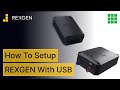 Setting up REXGEN with USB
1:36
Setting up REXGEN with USB
1:36
-
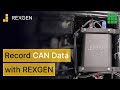 Set up REXGEN series to record CAN data
1:19
Set up REXGEN series to record CAN data
1:19
-
 Configure REXGEN to record LIN data
0:59
Configure REXGEN to record LIN data
0:59
-
 Retrieve raw data from a REXGEN series
0:52
Retrieve raw data from a REXGEN series
0:52
-
 Configure analogue and digital channels using REXDESK
1:15
Configure analogue and digital channels using REXDESK
1:15
-
 Export files using the DBC file
0:48
Export files using the DBC file
0:48
-
 Install REXGEN drivers
0:41
Install REXGEN drivers
0:41
-
 How to switch on the REXGEN RTC battery
0:27
How to switch on the REXGEN RTC battery
0:27
-
 Update the firmware for a REXGEN
0:55
Update the firmware for a REXGEN
0:55
Videos play from YouTube, which may store data on your device when you press play.
Can't find it?
Tell us the product, the firmware version and what you are seeing. Our engineers will help you get it working.